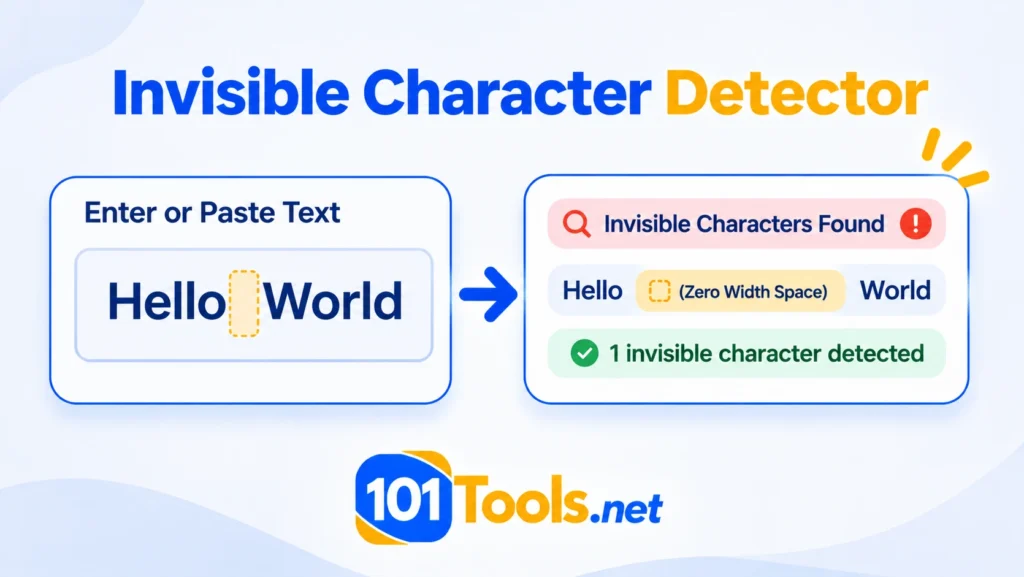
Find invisible characters, hidden Unicode symbols and blank spaces in your text with our free Invisible Character Detector. Some characters look like ordinary spaces or appear completely empty, but they still exist in your text and can affect how it is displayed, copied, searched or processed.
Simply paste your text into the detector to identify hidden characters that may not be visible on your screen. Whether you are checking an invisible character, troubleshooting unusual spacing or investigating a blank username, 101Tools makes it easier to understand what is inside your text.
Loading tool…
Let us know
How useful was this tool? Your rating helps others find it.
No ratings yet. Be the first!
Invisible Characters – Copy and Paste
Find and copy different types of invisible Unicode characters. Search the library, explore character codes and copy the character you need with one click.
Zero Width Space
U+200BAn invisible character that creates a potential line-breaking opportunity without adding visible width.
Zero Width Non-Joiner
U+200CPrevents certain adjacent characters from joining together in scripts that use contextual shaping.
Zero Width Joiner
U+200DJoins certain characters together and helps create combined emoji sequences.
Word Joiner
U+2060Prevents a line break between adjacent characters without displaying a visible space.
Non-Breaking Space
U+00A0Creates a visible-width space that prevents adjacent words from separating across lines.
Byte Order Mark
U+FEFFHistorically used to indicate byte order in text files. Its zero-width use is deprecated in favor of Word Joiner.
Combining Grapheme Joiner
U+034FA Unicode character used to influence grapheme processing and combining character sequences.
Note: These Unicode characters have different functions and are not interchangeable. Their behavior and compatibility may vary across websites, applications and devices.
What Is an Invisible Character?
An invisible character is a Unicode character that does not display as a visible letter, number or symbol under normal circumstances. It may appear as an empty space or produce no obvious visual output, even though it occupies a position in the underlying text.
Invisible characters are commonly used in digital text formatting, Unicode-based writing systems, social media usernames and messaging applications. Some are legitimate formatting characters, while others can cause unexpected spacing, copying or text-processing problems.
Examples include zero-width spaces, zero-width joiners, non-breaking spaces and other Unicode formatting characters.
An invisible character detector helps identify these hidden characters so you can better understand and troubleshoot your text.
How to Detect Invisible Characters
Finding hidden characters is simple with the 101Tools Invisible Character Detector.
- Copy the text you want to inspect.
- Paste it into the input area of the detector.
- Run the detection process.
- Review the results to identify invisible or unusual characters.
- Use the findings to understand and clean up your text where necessary.
You can use this process to inspect usernames, social media text, copied content, documents and other text that may contain hidden Unicode characters.
Types of Invisible Characters
Invisible characters come in different forms. Some create spacing, while others affect how characters are combined or displayed.
1. Zero-Width Space (U+200B)
A zero-width space is a Unicode character that creates a potential line-breaking opportunity without displaying a visible space. It occupies a position in text but has no visible width.
It may appear in copied text, formatted documents and content from different digital platforms.
2. Zero-Width Non-Joiner (U+200C)
The zero-width non-joiner is used to prevent certain adjacent characters from joining together. It is particularly relevant in writing systems where character shaping depends on neighboring letters.
It is also found in languages and scripts that use contextual letter joining.
3. Zero-Width Joiner (U+200D)
The zero-width joiner connects certain characters or controls how they are displayed together. It is commonly used in emoji sequences and complex Unicode text.
For example, some family and profession emojis use zero-width joiners to combine multiple emoji characters into one visual sequence.
4. Word Joiner (U+2060)
A word joiner is a non-printing Unicode character that prevents a line break at its position. Unlike an ordinary space, it does not create visible separation between words.
5. Non-Breaking Space (U+00A0)
A non-breaking space looks similar to an ordinary space but behaves differently when text wraps onto another line. It keeps adjacent words together instead of allowing a line break between them.
This character can appear when copying content from websites, word processors and formatted documents.
6. Invisible Formatting Characters
Some Unicode formatting characters do not produce visible symbols but influence how text is interpreted or displayed.
These characters may be present in copied documents, multilingual content and text generated by different software applications.
Invisible Character Copy and Paste: What You Should Know
Invisible characters are sometimes used when someone wants to insert an apparently empty space into a text field.
For example, certain social media platforms and messaging applications may handle invisible Unicode characters differently from ordinary spaces.
People commonly search for invisible character copy and paste, invisible blank spaces and invisible letters when trying to create an empty-looking username, profile name or message.
However, not every invisible Unicode character works everywhere. Different platforms may accept, reject, remove or normalize these characters depending on their validation rules.
If you need an invisible character for a particular application, identify the Unicode character first and check whether the target platform supports it.
Where Are Invisible Characters Used?
Invisible characters have several practical applications across digital platforms.
Instagram usernames and bios: Users sometimes investigate invisible characters when trying to create different-looking profile names, add spacing or format their Instagram bios.
Social media profiles: Invisible Unicode characters may be used in profile names, descriptions and other text fields, depending on platform restrictions.
Messaging applications: Certain invisible characters can influence spacing, line breaks and the appearance of messages.
Website content: Hidden characters may appear in copied website text, HTML-related content and documents, potentially affecting text processing.
Programming and development: Developers may need to identify unexpected Unicode characters that cause issues in source code, strings, databases or text comparison.
Document formatting: Invisible characters can be useful for controlling spacing and text layout, but unexpected characters can also make documents difficult to edit.
Why Should You Detect Invisible Characters?
Invisible characters can be difficult to identify because they do not always have a visible representation.
Detecting them can help you:
- Find hidden spaces and Unicode characters in copied text.
- Investigate unusual spacing or formatting issues.
- Identify characters that may affect text comparison.
- Troubleshoot unexpected username or input validation problems.
- Understand why two visually identical text strings behave differently.
- Inspect text before using it in documents, websites or applications.
Frequently Asked Questions
What is an invisible character?
An invisible character is a Unicode character that does not produce an obvious visible symbol. It can represent a blank space, control text formatting or influence how neighboring characters are displayed.
How can I find invisible characters in text?
Paste your text into the 101Tools Invisible Character Detector and inspect the detection results. The tool helps identify hidden Unicode characters that may not be visible during normal reading.
What is an invisible character copy and paste?
It refers to copying and inserting a Unicode character that appears blank or invisible in a text field. Such characters are sometimes used for spacing, usernames and social media formatting.
What is an invisible blank character?
An invisible blank character is a Unicode character that appears empty or produces no obvious visible symbol. Zero-width spaces and certain other Unicode characters are examples.
How do I use an invisible character on Instagram?
Invisible Unicode characters may be inserted into Instagram profile fields or other text areas, depending on Instagram’s validation rules. Copy the required character and test whether the specific field accepts it.
What is the difference between an invisible character and a normal space?
A normal space creates visible separation between words. An invisible character may have no visible width, prevent line breaks or influence how adjacent characters are displayed.
Can invisible characters cause text problems?
Yes. Unexpected invisible characters can affect text comparison, search, copying, form validation, programming and document formatting. Detecting them can help identify the source of these problems.
Are invisible characters the same as Unicode characters?
Invisible characters are part of the broader Unicode character system. Unicode includes visible letters, numbers, symbols, emoji and non-printing or formatting characters.
Can I remove invisible characters from text?
Yes, if your text editor or cleaning tool supports removing the specific characters. It is important to distinguish unwanted hidden characters from legitimate formatting characters before removing them.
Is the 101Tools Invisible Character Detector free?
Yes. You can use the 101Tools Invisible Character Detector online without purchasing a subscription or installing additional software.
Is my text uploaded to a server?
No. The detector runs directly in your browser, and your text is not uploaded to our servers.
Explore More Free Online Tools
Discover more useful tools from 101Tools to simplify your everyday digital tasks.
- Case Converter: Change text into uppercase, lowercase, sentence case, title case and programming formats.
- Fancy Font Generator: Create stylish text for social media profiles, captions and messages.
- Instagram Bio Generator: Generate engaging Instagram bios for personal and business accounts.
- Markdown to Plain Text: Remove Markdown formatting and convert content into clean plain text.
Explore 101Tools.net for more free online tools designed to make everyday tasks easier.