
Loading tool…
Let us know
How useful was this tool? Your rating helps others find it.
No ratings yet. Be the first!
Free Online Subtitle Converter & Shifter
Convert subtitle files, extract subtitle text, and adjust subtitle timing with the free Subtitle Converter & Shifter from 101Tools.net. Work with SRT and VTT subtitle formats, convert subtitles to plain text, shift subtitle timing, and correct synchronization problems.
Whether you need to prepare subtitles for another application, remove timestamps and formatting, or fix subtitles that appear too early or too late, this online tool makes subtitle file management easier.
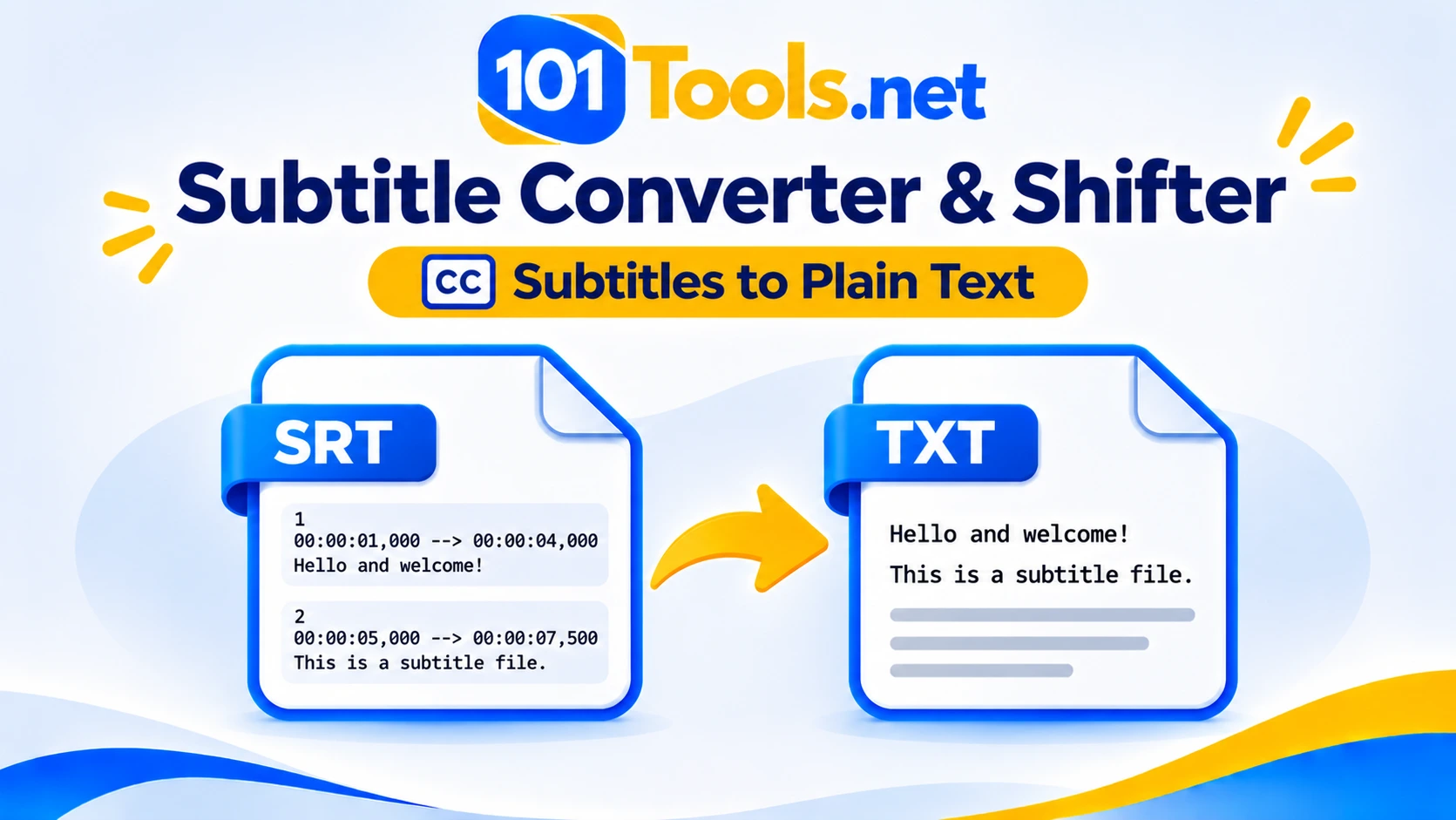
Convert SRT and VTT Subtitle Files Online
SRT and VTT are widely used subtitle formats for videos and online media. However, different video players and platforms may require different subtitle formats.
Use the Subtitle Converter to work with SRT and VTT subtitle files and convert subtitle content into a more suitable format.
You can use subtitle conversion when:
- Preparing subtitle files for different video players.
- Converting between supported subtitle formats.
- Extracting subtitle dialogue into plain text.
- Cleaning subtitle content for editing or reference.
- Preparing subtitle files for another workflow.
Convert Subtitles to Plain Text
Need the dialogue from a subtitle file without timestamps and subtitle formatting?
Convert subtitle content into plain text to make it easier to read, copy, edit, or reuse.
Plain-text subtitle content can be useful for:
- Creating a readable transcript from subtitle dialogue.
- Reviewing spoken content without video playback.
- Reusing dialogue in notes or documents.
- Editing subtitle text separately from its timing information.
- Preparing text for translation or content review.
Shift Subtitle Timing
Are your subtitles appearing before or after the spoken dialogue? Incorrect timing can make even an accurate subtitle file difficult to use.
The subtitle shifter helps adjust subtitle timing so that captions appear closer to the corresponding speech or scene.
Use timing adjustments when:
- Subtitles appear too early.
- Subtitles appear too late.
- The subtitle file needs a timing offset.
- You need to correct synchronization after editing or converting a video.
Fix Subtitle Frame-Rate Drift
Sometimes subtitle timing becomes increasingly inaccurate as a video plays. This can happen when subtitle timing and video frame-rate settings do not match.
Frame-rate drift correction helps adjust subtitle timing across the duration of a video rather than relying only on a fixed timing shift.
This is useful when subtitles are synchronized near the beginning but gradually become out of sync later.
How to Use the Subtitle Converter & Shifter
- Open the Subtitle Converter & Shifter on 101Tools.net.
- Load or enter your subtitle content using the available input option.
- Select the conversion or subtitle adjustment operation you need.
- Configure the available timing or conversion settings.
- Process the subtitle content.
- Review the result and export or copy the converted content using the available options.
Why Use 101Tools.net Subtitle Converter?
The Subtitle Converter & Shifter provides practical subtitle-processing features in one browser-based tool.
- Work with SRT and VTT subtitle formats.
- Convert subtitle content into plain text.
- Adjust subtitle timing.
- Correct frame-rate-related timing drift.
- Prepare subtitle content for different workflows.
- Use the tool online without installing desktop software.
- Process content directly in your browser without uploading it.
Frequently Asked Questions
What is an SRT file?
An SRT file is a common subtitle file format that contains subtitle text, sequence numbers, and timestamps indicating when each caption should appear. It is supported by many video players and editing applications.
How do I convert SRT to TXT?
Open the subtitle converter, provide your SRT subtitle content, and select the plain-text conversion option if available. The resulting text contains the subtitle dialogue without the usual subtitle timing structure.
What is the difference between SRT and VTT?
SRT and VTT are both subtitle formats that contain timed captions. SRT is widely used with downloaded video subtitles, while WebVTT is commonly used for web video and HTML5 media. Their formatting and supported features differ.
Can I convert VTT to SRT?
The tool works with SRT and VTT subtitle formats. Select the relevant conversion operation to prepare your subtitle content in the required supported format.
How do I fix subtitles that are out of sync?
Use the subtitle timing shift feature to adjust captions that appear too early or too late. If the timing becomes progressively inaccurate throughout the video, frame-rate drift correction may be more appropriate.
What is subtitle timing shift?
Subtitle timing shift adjusts the timestamps of subtitle entries by a specified amount. It can move subtitles forward or backward to improve synchronization with the video.
What is subtitle frame-rate drift?
Frame-rate drift occurs when subtitle timing gradually loses synchronization with a video. This may happen when the subtitle file and video use different timing or frame-rate assumptions.
Can I extract text from an SRT subtitle file?
Yes. Subtitle-to-plain-text conversion removes the subtitle structure so that dialogue can be read and reused as ordinary text.
Is the Subtitle Converter free?
Yes. You can use the Subtitle Converter & Shifter on 101Tools.net for free.
Are my subtitle files uploaded?
The tool runs in your browser, and the page states that nothing is uploaded. Your subtitle processing takes place directly in the browser.